This seems to be entertaining students as much as it is entertaining me. My view counts have almost doubled since I switched to costumes!
Friday, February 26, 2016
Dressing Up Engagement Strategies
As I mentioned in my September blog post, I have been working on making tip videos in my classroom which highlight tricky concepts for students and seek to correct misconceptions before they happen. I have been successful with these videos and noticed an increase in the quality of student work that I have been receiving since I made them. However, I noticed that some students were still not watching the videos (Screencast-o-matic lets me check my view count for each video). I did notice that I had a higher view count than any other week during the week that I dressed up for Halloween. This got me thinking, perhaps students would be more likely to watch a video if I dressed in something silly or unusual. Students are able to see a thumbnail of the video when I embed it into my announcements. Cassie Stephens, a fellow Art Ed blogger is the queen of dressing up for the art classroom. I am not quite to the point of making my own outfits, but here are some of my silly video outfits:
Thursday, January 14, 2016
Tablets as an Option for Art Making
I am getting very excited about next semester starting next week and I am preparing my semester 2 classroom with new technology on my mind! Big surprise right? I have been working with my team this semester to create tablet options for all of my Art 1 projects. Previously, all projects were required to be done on paper through traditional techniques. However, I have found that students really enjoy the option of creating a different way and it also benefits students who do not have art supplies or are having problems with their scanner. Also, having a digital option prepares them for all kinds of careers and it helps meet UDL guidelines. So, I have finally done it!
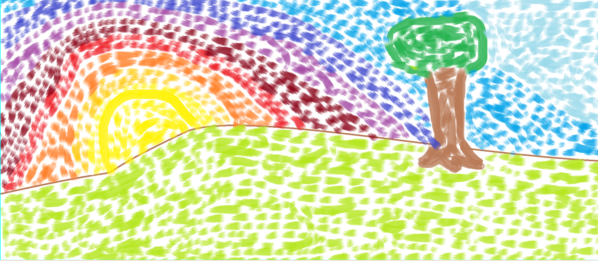
Each lesson in Art 1 offers two options for the assigned projects: a traditional option and a tablet option. All of my students have Android tablets to work on and all the apps I use in my class are free. Some of my projects offer a similar option for the tablet option as the traditional. For example, students may paint traditionally for their Impressionist Landscape, or they may use a painting app such as Sketch Guru.
Other assignments have a different way for students to show their understanding of a given concept. For example, for my proportion lesson involving foreground, middle, and background students are able to draw the interior space of a room with pencil, or they can create a digital collage using PicCollage. Both assignments accomplish the creation of a piece that shows depth and understanding of proportions but some students might prefer one over the other.
Some of these apps add additional materials for students to use that they would not have access to at home easily such as the texture tablet option. Students are learning about visual and tactile texture and then asked to either create a drawing showing 4 textures or create a sculpture showing 4 textures in TrueSculpt.
I thoroughly believe in teaching traditional art skills and would never want to move towards 100% digital in my classroom but I think options are important. I am excited for students to have the opportunity to experience more diverse materials in their art making and get a taste of digital art if they choose. Stay tuned!
Each lesson in Art 1 offers two options for the assigned projects: a traditional option and a tablet option. All of my students have Android tablets to work on and all the apps I use in my class are free. Some of my projects offer a similar option for the tablet option as the traditional. For example, students may paint traditionally for their Impressionist Landscape, or they may use a painting app such as Sketch Guru.
| Traditional watercolor |
| Using Sketch Guru |
| Traditional drawing |
| Using PicCollage to manipulate images |
| Traditional drawing |
![]() |
| Using TrueSculpt |
Shameless plug: I'll be giving a presentation at NAEA this year on Saturday at 2pm all about using free Android apps in your art classroom!
Labels:
android,
art,
art ed,
art education,
art making,
digital,
digital tools,
distance learning,
education technology,
elearning,
online education,
online learning,
painting,
PicCollage,
Sketch Guru,
tablet,
TrueSculpt
Thursday, October 15, 2015
Scheduling to Help All Students
As I have written about before, phone calls are a major way that I reach out to students in my courses each semester. Phone calls act as one-on-one time between myself and a student (or sometimes their voicemail) in an effort to connect and engage. I am guilty sometimes of focusing more of my time on re-engaging reluctant learners rather than building up my students who are engaging consistently. This year I have made a plan to help myself stay on track with giving each and every student the attention they deserve.
This schedule helps me have target groups selected to focus on throughout the semester in a way that makes sure no student goes very long without hearing from me. For the first time in a while I was able to reach out to the parents of my students who are doing excellent in my course. I also mailed achievement postcards to students with high live session attendance. This schedule has kept me on track and balanced this year and my student engagement is higher as well.
Friday, September 25, 2015
Addressing Weaknesses and Clarifying Concepts
This school year I am working on addressing common mistakes students have made during previous years at the beginning of a lesson so they can be more successful this year. I am doing this through a short weekly video announcement.
Each video presents 3 tips for the current project. I am getting a good amount of student views on these videos. Aside from increasing the quality of student artwork, these videos also serve as a weekly greeting from me that my students see when they enter the classroom.
Monday, August 31, 2015
Student Recognition
I have always posted this gallery for students to access, but this year I am also emailing students who earn a spot in the gallery video to let them know how proud they should be. I send along a certificate which they can print and hang up if they desire (seen at the top of this post). I am hoping this little bit of extra effort gets my students feeling excited about creating artwork and feeling valued in their classroom community.
Monday, August 3, 2015
Keeping Parents and Students Informed
My summer school course has wrapped up and was a very positive experience. I conducted a parent and student survey at the conclusion of the course about the efficacy of the course to help them achieve their goals and how their experience was. I received many positive results and one thing both my parents and students mentioned being helpful was my consistent communication.
Each week I sent out an email to students and parents about the subject of study for the week unit, assignments, and due dates. I have discussed emails like this in previous entries (Communicating with Students Part 1, Part 2).
The main new type of communication that I incorporated in this course was to email parents and students progress reports every other week. Because the course was only 5 weeks long, it was important to keep parents and students informed. As a policy, I always allow students to resubmit projects through my course after reviewing my feedback. Even though students had access to their grade books, sending these progress reports seemed to do a nice job of alerting students to potential issues and put parents at ease. A school may already have a schedule for sending out midterm and quarterly grades as mine does during the school year. I have found that student achievement improves when students are parents are more aware of what is going on in the online classroom. It was helpful to employ this knowledge to a summer course and to include detailed information about each assignment for everyone involved.
Click here to download the progress report template:
Word version
Pages version
Each week I sent out an email to students and parents about the subject of study for the week unit, assignments, and due dates. I have discussed emails like this in previous entries (Communicating with Students Part 1, Part 2).
The main new type of communication that I incorporated in this course was to email parents and students progress reports every other week. Because the course was only 5 weeks long, it was important to keep parents and students informed. As a policy, I always allow students to resubmit projects through my course after reviewing my feedback. Even though students had access to their grade books, sending these progress reports seemed to do a nice job of alerting students to potential issues and put parents at ease. A school may already have a schedule for sending out midterm and quarterly grades as mine does during the school year. I have found that student achievement improves when students are parents are more aware of what is going on in the online classroom. It was helpful to employ this knowledge to a summer course and to include detailed information about each assignment for everyone involved.
Click here to download the progress report template:
Word version
Pages version
Tuesday, July 7, 2015
Impressionist Landscape Watercolor
I have been really enjoying teaching my summer school class so far. My students are creating wonderful artwork and making meaningful connections with the world around them. It has been awhile since I brought my Google Glass out for a spin to create a demonstration video, but today I took it on an adventure in painting "en plein air".
I am very excited to see what students create for this project and I was happy to have an excuse to go paint outside on a beautiful day like today.
Subscribe to:
Posts (Atom)