Much has happened since my last post. I have a year of Graphic Design under my belt, a new show for my school's Live Stream channel, and lots of new tricks up my sleeve. It has been a wild ride and I continue to love teaching online!
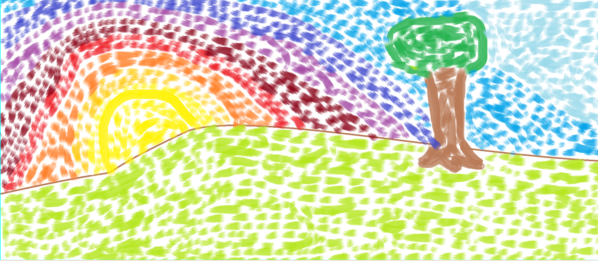
Last year, my school introduced EPAC (ECOT Public Access Channel), a place where students can attend field trips live from home as well as view educational content. Color Me Happy was then born, an art show that is accessible for all ages. In our district, we do not have a stand-alone art course that students take in elementary grades so I wanted to give students a place to get some art making instruction. Check out one of my episodes below!
In addition to Color Me Happy, we continue to explore areas of interest involving Art around the state of Ohio. As always I find video to be a great way to engage students and build community.
I have big goals for this 2017-2018 school year including a use of new technology tools like our 3D printers, vinyl cutter, and laser cutter. I can't wait to give my Graphic Design students a taste of professional design equipment later this year. Stay tuned for more updates!
Showing posts with label education technology. Show all posts
Thursday, September 28, 2017
Thursday, January 14, 2016
Tablets as an Option for Art Making
I am getting very excited about next semester starting next week and I am preparing my semester 2 classroom with new technology on my mind! Big surprise right? I have been working with my team this semester to create tablet options for all of my Art 1 projects. Previously, all projects were required to be done on paper through traditional techniques. However, I have found that students really enjoy the option of creating a different way and it also benefits students who do not have art supplies or are having problems with their scanner. Also, having a digital option prepares them for all kinds of careers and it helps meet UDL guidelines. So, I have finally done it!
Each lesson in Art 1 offers two options for the assigned projects: a traditional option and a tablet option. All of my students have Android tablets to work on and all the apps I use in my class are free. Some of my projects offer a similar option for the tablet option as the traditional. For example, students may paint traditionally for their Impressionist Landscape, or they may use a painting app such as Sketch Guru.
Other assignments have a different way for students to show their understanding of a given concept. For example, for my proportion lesson involving foreground, middle, and background students are able to draw the interior space of a room with pencil, or they can create a digital collage using PicCollage. Both assignments accomplish the creation of a piece that shows depth and understanding of proportions but some students might prefer one over the other.
Some of these apps add additional materials for students to use that they would not have access to at home easily such as the texture tablet option. Students are learning about visual and tactile texture and then asked to either create a drawing showing 4 textures or create a sculpture showing 4 textures in TrueSculpt.
I thoroughly believe in teaching traditional art skills and would never want to move towards 100% digital in my classroom but I think options are important. I am excited for students to have the opportunity to experience more diverse materials in their art making and get a taste of digital art if they choose. Stay tuned!
Each lesson in Art 1 offers two options for the assigned projects: a traditional option and a tablet option. All of my students have Android tablets to work on and all the apps I use in my class are free. Some of my projects offer a similar option for the tablet option as the traditional. For example, students may paint traditionally for their Impressionist Landscape, or they may use a painting app such as Sketch Guru.
| Traditional watercolor |
| Using Sketch Guru |
| Traditional drawing |
| Using PicCollage to manipulate images |
| Traditional drawing |
![]() |
| Using TrueSculpt |
Shameless plug: I'll be giving a presentation at NAEA this year on Saturday at 2pm all about using free Android apps in your art classroom!
Labels:
android,
art,
art ed,
art education,
art making,
digital,
digital tools,
distance learning,
education technology,
elearning,
online education,
online learning,
painting,
PicCollage,
Sketch Guru,
tablet,
TrueSculpt
Tuesday, April 21, 2015
Active Learning in the (Online) Art Classroom
As part of my the Online Teaching and Learning Certificate I am currently pursuing, I recently took a course all about creating interactive learning objects for my classroom. A learning object is an interactive activity which presents lesson material to students in a way that offers opportunities for practice and sometimes employ digital storytelling. Learning objects are great because they allow students to explore a topic at their own pace, offer practice and feedback, and sometimes even provide branching (think choose your own adventure) that takes a student through a branch based on their responses. The possibilities are endless and learning objects can be implemented in all types of learning environments including brick and mortar or blended art rooms. They can be a great opportunity for independent learning, without being as static as book work.
Creating a learning object can be hard work! I spent weeks creating one all about Feldman's Model of Art Criticism that puts students in the role of the art critic. I used Articulate Storyline to create my learning object which provides many interactive features and is fairly intuitive to use. This tool does have a cost associated with it, but there are many free tools available (click here for a list) and it is even possible to create learning objects through Microsoft Powerpoint by adding links to buttons.
But, there is an easier way to start using learning objects (LO's) in your art classroom without creating them. There are many art education learning objects already created online.
Here are some of my favorite Art Ed learning objects:
Creating a learning object can be hard work! I spent weeks creating one all about Feldman's Model of Art Criticism that puts students in the role of the art critic. I used Articulate Storyline to create my learning object which provides many interactive features and is fairly intuitive to use. This tool does have a cost associated with it, but there are many free tools available (click here for a list) and it is even possible to create learning objects through Microsoft Powerpoint by adding links to buttons.
But, there is an easier way to start using learning objects (LO's) in your art classroom without creating them. There are many art education learning objects already created online.
Here are some of my favorite Art Ed learning objects:
This activity is the one I created which puts the student in the role of the art critic and presents Feldman's Model of Art Criticism.
This LO allows the student to explore the elements of art and practice using them in a free form composition tool.
This LO allows students to test the affects of a manual DSLR camera.
This LO explores the color wheel, tints, tones, shades, and color schemes. It also allows for students to practice blending colors and building their own color wheel.
These links barely scratch the surface of what is out there so explore on your own as well. I have really enjoyed learning about new ways to insert some interactivity into my asynchronous environment and I hope you enjoy them too!
Friday, March 27, 2015
Facilitating Individual Learning Synchronously
This semester has been a very busy one. As all teachers know, each group of students and each student we teach is different from the last. Last semester I had a very independent class as a whole who did not generally find synchronous sessions to be necessary to attend. This semester, I have a group that finds my synchronous sessions to be the ideal place for them to complete work and I have many students who attend once or twice every single week.
In general, I would say that online education encourages students to be more independent than they would be asked to be in a brick and mortar setting. Students need to be able to find and access lesson material independently and need to take steps to ask for help when they don't understand something. This can be particularly difficult for students who special needs or who just learn better with structure facilitated by a teacher and direct instruction. I have students on both ends of the independence structure this semester and I have been able to create a synchronous environment that students who need more structure seem to enjoy and depend on each week.
I have written about my Open Art Room before, but this semester is has been used more than any other! I now have step-by-step powerpoint presentations of every single art project in my Art 1 class and students are eating it up. I put my slides on "roam" so many students can access different pieces of the content at the same time as needed. I have also been able to employ students' webcams for them to show me their work in progress and once it is complete. Open Art Room provides students a space where they can get the lesson content in a different way than reading the classroom pages and get individual help along the way.
In general, I would say that online education encourages students to be more independent than they would be asked to be in a brick and mortar setting. Students need to be able to find and access lesson material independently and need to take steps to ask for help when they don't understand something. This can be particularly difficult for students who special needs or who just learn better with structure facilitated by a teacher and direct instruction. I have students on both ends of the independence structure this semester and I have been able to create a synchronous environment that students who need more structure seem to enjoy and depend on each week.
I have written about my Open Art Room before, but this semester is has been used more than any other! I now have step-by-step powerpoint presentations of every single art project in my Art 1 class and students are eating it up. I put my slides on "roam" so many students can access different pieces of the content at the same time as needed. I have also been able to employ students' webcams for them to show me their work in progress and once it is complete. Open Art Room provides students a space where they can get the lesson content in a different way than reading the classroom pages and get individual help along the way.
Monday, October 27, 2014
Using Video Snippets in the (Online) Classroom
I have always been a proponent of video in my classroom. They offer great demonstrations of both vocabulary and techniques in a way that visual learners benefit from. Here is a link to some samples the videos I have created that fit into the demonstration category.
Recently, I have started using videos in a few new ways due to the ability to pull in videos from sources like YouTube and embed them into my classroom pages. I use short, fun videos that I find to spark discussion via reflective questions. I have had a weekly discussion board in the past where I use articles from Scholastic Art to generate discussion, but I have found it is fun to mix up the sources that students are viewing, and it can lead to some great creative thinking!
This is the first video I used in my discussion board. I looked for videos that were less than 5 minutes long and that could be used to prompt students to think about the big question, "What is art?" I asked them to reflect on the following:
1. Which definition of art from the video do you most agree with?
2. Do you think “bad” art still art? Why or why not?
3. At this moment, what do you think is the most important function of art?
At this point in the course, students have had a little bit of exposure to different styles of art but have mostly focused on drawing techniques. I really enjoyed reading their responses, especially from the third question as it prompted a great range of ideas from personal expression to visual communication and everything in between.
The other more recent use of videos in the classroom is a variation on recorded live lessons I have used in the past. I have always recorded my synchronous lessons for students to watch at a time which is convenient for them (check out this post for more information on how that works). However, due to a shift in focus this year in my live instruction schedule, I haven't had a high attendance rate for my lessons each week. With this change and the availability of a new tool called Screencast-O-Matic I have begun to make lesson snippets: an overview of lesson content for the week summed up in 5-10 minutes. This week I am out of my office for much of the day due to state testing, so it is especially important that I was able to post a short lesson video into my weekly announcements for students to access this week while they are working.
1. Which definition of art from the video do you most agree with?
2. Do you think “bad” art still art? Why or why not?
3. At this moment, what do you think is the most important function of art?
At this point in the course, students have had a little bit of exposure to different styles of art but have mostly focused on drawing techniques. I really enjoyed reading their responses, especially from the third question as it prompted a great range of ideas from personal expression to visual communication and everything in between.
The other more recent use of videos in the classroom is a variation on recorded live lessons I have used in the past. I have always recorded my synchronous lessons for students to watch at a time which is convenient for them (check out this post for more information on how that works). However, due to a shift in focus this year in my live instruction schedule, I haven't had a high attendance rate for my lessons each week. With this change and the availability of a new tool called Screencast-O-Matic I have begun to make lesson snippets: an overview of lesson content for the week summed up in 5-10 minutes. This week I am out of my office for much of the day due to state testing, so it is especially important that I was able to post a short lesson video into my weekly announcements for students to access this week while they are working.
Subscribe to:
Posts (Atom)